ZI Puzzle Match / Match-three puzzle
Match the city.
Feel the rhythm.
ZI is a match-three puzzle that moves through five Nairobi neighbourhoods, from Westlands to Kilimani. Swap pieces, build combos and clear each board's goal before you run out of moves.
- GenreMatch-three puzzle
- PlatformsBrowser, Android
- Session2–5 minutes a level
- Levels25 authored, then endless
- PriceFree
What ZI is.
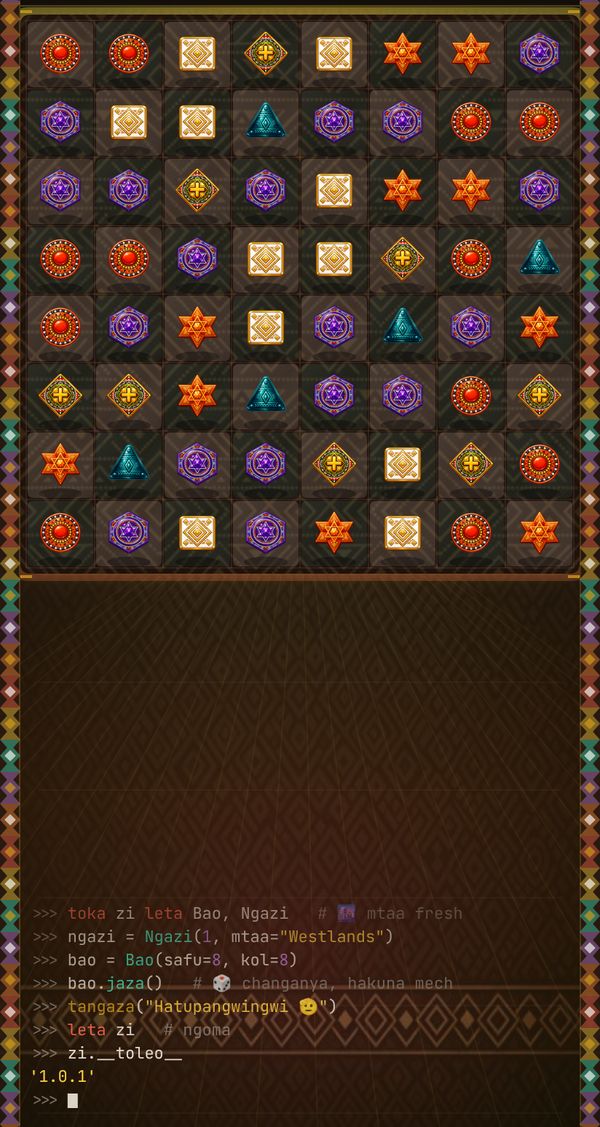
The board is eight by eight. Pieces come in six patterned shapes (a circle, a diamond, a triangle, a hexagon, a star and a square) drawn in terracotta, ochre, teal, purple, orange and ivory, with a kitenge-style border around the screen. Line up three of a kind and they clear; the pieces above fall into the gap and new ones drop in from the top. Chains that set off more matches on their own score as combos.
Each zone changes what a level asks of you. That is what keeps ZI from feeling like the same board twenty-five times:
- Westlands — reach a target score. No move limit, so it's the place to learn how specials work.
- CBD — the same score targets, but now with a move limit that shrinks from 25 to 21.
- Eastlands — locked tiles that only open when you make a match next to them.
- South B — collect a set number of one piece type while stones block cells on the board.
- Kilimani — mixed goals that combine locks, stones and tighter limits.
Every level awards up to three stars for score. Trophies mark firsts: your first star piece, your first rainbow, clearing all locks, scoring 10,000 or 25,000 in a single level, and finishing every zone.
How to play.
ZI teaches itself in the first two levels, but these are the rules that matter once the boards tighten.
Controls
| Swap two pieces | Swipe a piece toward a neighbour (drag with a mouse on desktop) |
|---|---|
| Pause and settings | Pause button, top right of the board |
| Music | Settings → Music, with previous/next track buttons |
| Player name | Settings → Player name, used on the local leaderboard |
Special pieces
- Four in a row makes a line piece that clears its whole row or column when matched.
- An L or T shape makes a star piece with a wider blast.
- Five in a row makes a rainbow piece, the strongest in the game.
Look for the long match before the easy one. On move-limited boards, one rainbow usually saves more moves than three quick threes.
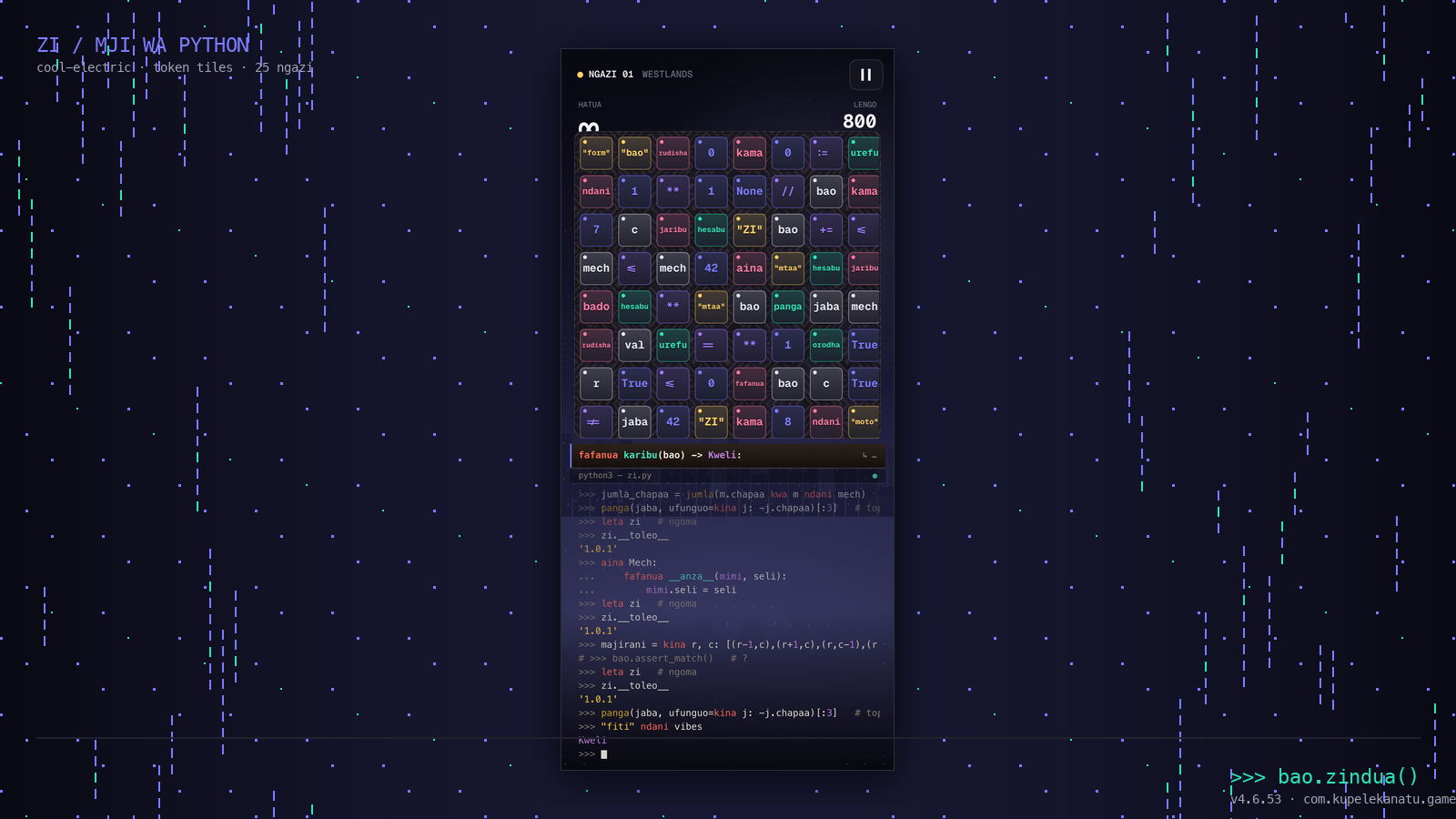
Screens from the Android app.
Updates.
Android: updated to target Android 15 (API 36), as Google Play now requires for new updates. No gameplay changes.
Android: ad reliability update. If an ad between levels fails to load or close, the next level now starts anyway instead of waiting.
Android 4.6.57: new app icon, a fix to the app manifest, and basic analytics so we can see where players stop. The browser version on this site was synced to the same build.
Questions.
Is ZI free?
Yes. The browser version on this site is free with no account. The Android app is free on Google Play and shows an ad between some levels; if an ad fails to load, the game carries on without it.
How many levels are there?
Twenty-five hand-built levels across five zones, five levels each. After level 25 the game keeps generating new levels that cycle through the zones and get harder, so there is no hard end. Reaching level 50 earns the Nairobi Legend trophy.
Why does my swap bounce back?
A swap only counts if it makes a line of three or more. If it doesn't, the two pieces slide back to where they were and you don't lose a move.
What is the code at the bottom of the screen?
It's a running log of your game written as playful Sheng-flavoured Python, for example bao = Bao(safu=8, kol=8) when a board is dealt. It's there for fun and doesn't affect play.
Where is my progress saved?
In your browser's local storage, or on your phone in the Android app. It doesn't sync between devices, and clearing site data or app data resets it. The leaderboard is local to your device too.
Does ZI work on a computer?
Yes. Drag a piece with the mouse instead of swiping. It's designed for a portrait phone screen, so on a wide monitor the board sits in a column in the middle.
Help and policies.
Something not working? Email admin@nibiashara.biz with your device and what happened. App policies: support · privacy · terms · data deletion.